
Planning a Balanced Minecraft Modpack
Build a coherent Minecraft modpack by defining its purpose, separating dependencies from content, and testing changes in a clean profile.
Start with the experience you want
A good modpack starts with a clear purpose. Decide whether the world should focus on exploration, building, combat, or relaxed survival before collecting files. A short written brief helps you judge every addition: does this mod strengthen the experience, or simply add another system to maintain? Keep essential features separate from optional experiments so the first playable version stays manageable.
Separate content from supporting libraries
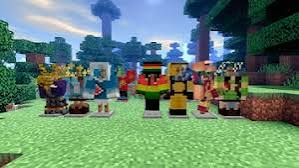
Character models, equipment, structures, and configuration libraries serve different purposes. A library may be required without adding visible content. Record which main mod needs each dependency, and match the game version and loader across the entire profile. The featured image illustrates a varied visual theme; it is not evidence that every pictured character belongs to one compatible pack.
Test a small foundation first
Launch a new profile with the loader and required libraries before introducing gameplay changes. Add content in small groups and record what changed between successful launches. Use a disposable world for early testing, especially when a mod alters terrain or structures. This makes it easier to identify which addition introduced an error.
Keep a repeatable maintenance routine
Save a list of installed filenames alongside a backup of the profile. Review overlapping features before adding a second mod that solves the same problem. When you update, preserve the previous working setup until the new one launches and loads a test world successfully. A deliberate maintenance routine is more useful than chasing the largest possible mod count.